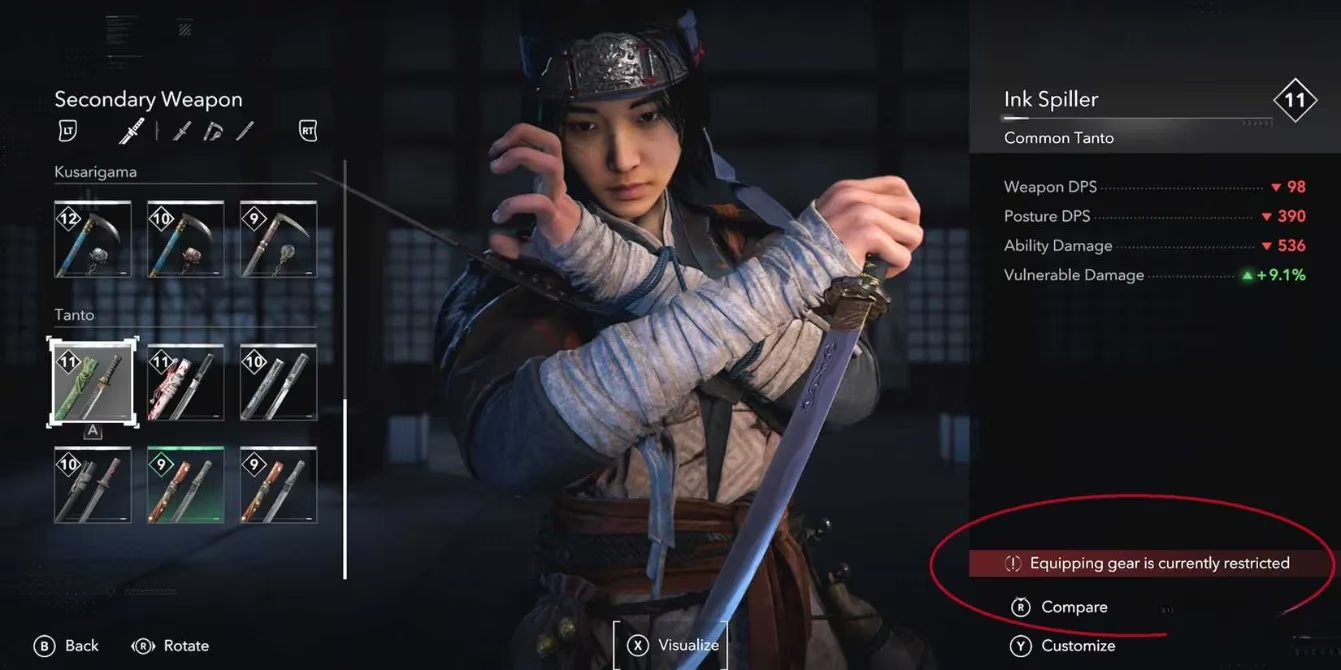
Assassin's Creed Shadows is a sprawling open-world game with dual character progression, a customizable Hideout settlement, scouts, and a gear system that can feel like a second game on its own. Even in 2026, long after launch, newcomers still run into the same confusing message: “Equipping Gear Is Currently Restricted.” It flashes in the lower-right corner of the gear screen, and suddenly a shiny new weapon or piece of armor refuses to cooperate. The good news is that the message usually points to one of a few simple problems—and only rarely to a genuine bug.
🎯 The Most Common Cause: The Character Is Under-Leveled
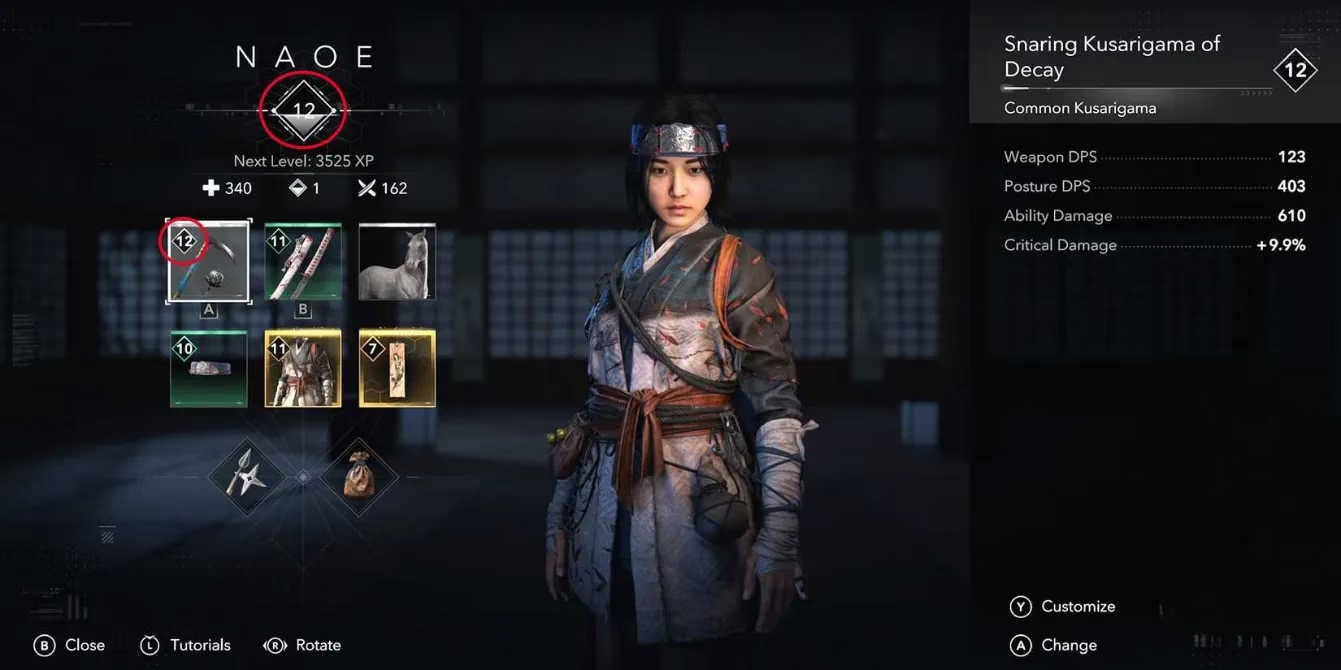
One of the most obvious reasons for the message is also the one the game explains the least clearly. If a gear item's level is higher than the character's mastery level—effectively their level—Naoe or Yasuke cannot equip it. The message is oddly worded, but it is not a mystery: the character is simply under-leveled for that item.
Every gear icon has a number in its top-left corner. That number is the item's level. In Assassin's Creed Shadows, much like in Odyssey, a character with a lower level cannot use gear that exceeds their current level. Players can raise an item's level at the Forge, but they cannot lower it. So the practical fix is to gain a few levels and then try again. There is no clever workaround; the requirement has to be met.
⏳ Timing Matters: Combat, Swimming, and Animations
If the character's level matches or exceeds the gear's level, the item should be equippable—unless the player is trying to change gear at the wrong moment. Assassin's Creed Shadows does not always spell this out, but gear changes are generally only allowed outside of combat and while the character is standing still. Attempting to swap equipment mid-combat, while swimming, while jumping, or during another active animation can trigger the same “Equipping Gear Is Currently Restricted” message.
The fix here is simple: leave combat, finish the animation, get on solid ground, and stand still. Then open the gear screen again. It is a small restriction, but it can feel confusing when the message appears during a tense moment.
⚔️ Duplicate Weapons and Already-Equipped Gear
Another common cause is weapon-slot logic. The game does not permit two similar weapon types in different slots. For example, a player cannot equip a Katana in slot A and another Katana in slot B. A Katana plus a Kusarigama is fine; two Katanas are not. Players might also accidentally try to equip a weapon that is already equipped, which can trigger the message as well.
A quick check of both weapon slots usually clears this up. If the same weapon type appears twice, swap one out for a different type. If the item is already in the active slot, there is nothing to equip.
🐞 When It Might Be a Bug
If none of the above applies, the message may be a bug. Several players have reported the restriction appearing for no apparent reason, sometimes locking the entire gear screen. Some have suggested it might be tied to Naoe's Tanto weapons on PC, though that connection has not been fully confirmed. In testing, the bug has not always been reproducible, which is part of what makes it frustrating.
When the message seems unjustified, players can try reloading a recent save or fully restarting the game. Some report that the bug persists even after that, so patience may be required. Ubisoft has been aware of the reports, and later updates may have addressed some cases. In 2026, it is worth checking for the latest patch before assuming the worst. If the problem continues, reporting it with details—platform, character, weapon, and location—is the best way to help.
🧭 Quick Checklist
| Cause | What players see | Practical fix |
|---|---|---|
| Gear level too high | Item level in the top-left corner exceeds character level | Gain levels; the Forge cannot lower item level |
| Wrong moment | Message during combat, swimming, jumping, or a paused animation | Leave combat, finish the animation, stand still |
| Duplicate weapon type | Same weapon type in both slots, such as Katana + Katana | Use different weapon types |
| Already equipped | The item is already in the active slot | Check slots; no action needed |
| Bug | Message appears with no valid reason; gear screen locks | Update, reload a save, restart, and report |
The “Equipping Gear Is Currently Restricted” message is rarely as dramatic as it sounds. Most of the time, it is the game's clumsy way of saying that the character is too low-level, the moment is wrong, or the weapon slots are invalid. Once players check those three things, the gear screen usually starts behaving again. And if it does not, a bug report and a fresh save are the next best steps.